Free template
Project Closure Report for IT Consultants
The document that formally ends an engagement, confirming what was delivered, what was learned, and what remains open, with sign-off from both sides.
What this template covers
- 1
Project Summary
What the engagement set out to do and a short account of how it went.
- 2
Objectives Achieved
Each original objective and whether it was met, partially met, or not met.
- 3
Deliverables Completed
Each deliverable, its acceptance status, and where it now lives.
- 4
Lessons Learned
What worked, what did not, and what to do differently next time.
- 5
Outstanding Items
Open defects, pending tasks, and support arrangements, each with an owner.
- 6
Sign-off
Who accepts the engagement as complete, and any conditions attached.
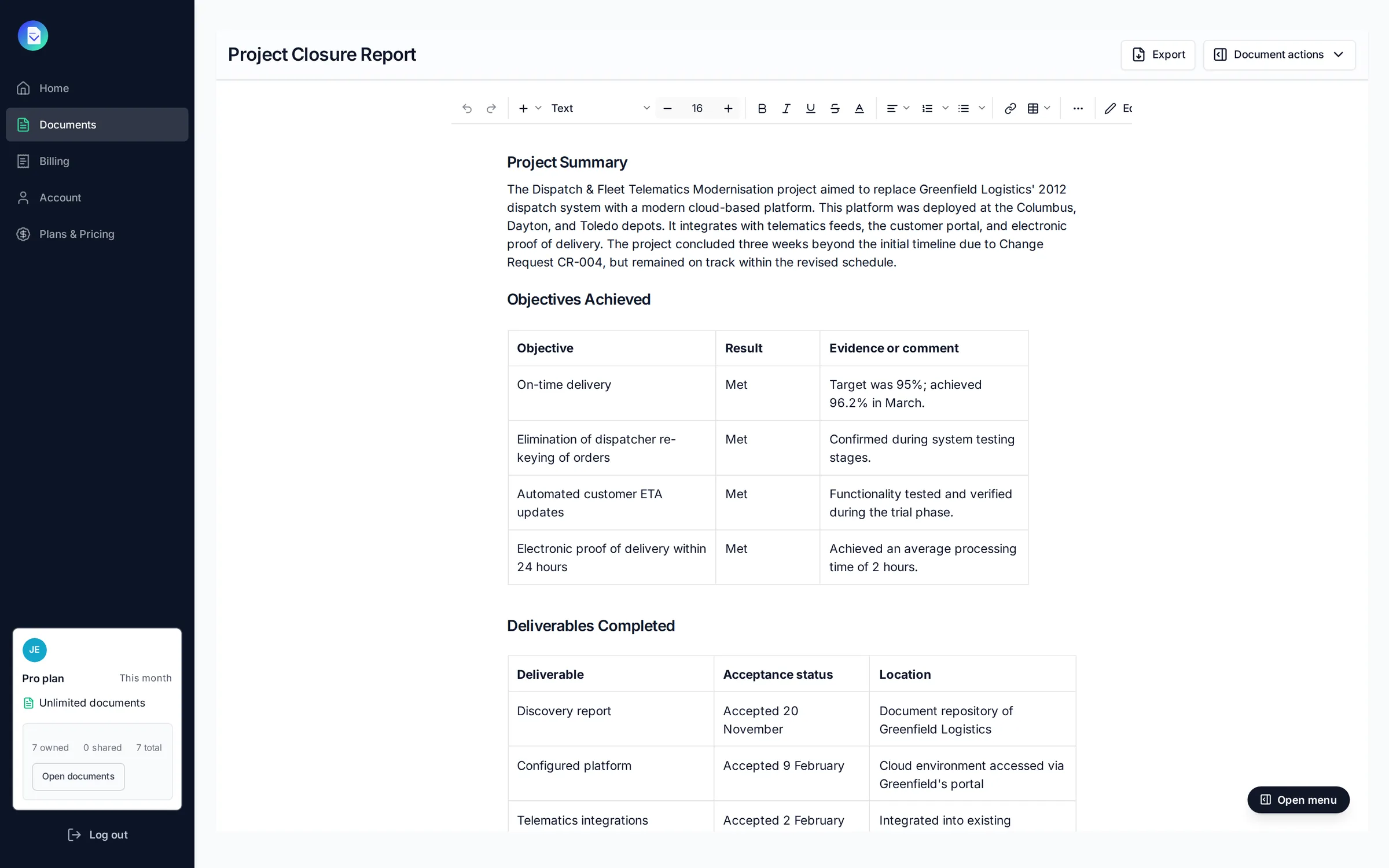
Example Project Closure Report
Generated by PropellaDocs AI from a real project brief. Review all terms before sending to clients.
How to use this template
- 1
Pick your template
Choose from proposals, SOWs, and more, all structured for IT consulting engagements.
- 2
Complete your brief
Add project details, client context, and scope. The more context, the more specific the output.
- 3
Generate and refine
Review the AI draft section by section. Regenerate anything that needs work and edit inline.
- 4
Export and deliver
Send professional PDF or DOCX exports with your branding, or share a link directly with clients.
Project Closure Report questions
Generate your Project Closure Report in minutes
Start for free →Free plan available · No credit card required